Meal Subscription
A Meal Subscription allows customers to subscribe to meals for a fixed period (selected days), instead of placing a new order every time. Orders are automatically generated and managed based on the subscription rules defined by the business.
Storefront
Step-by-Step Subscription Flow
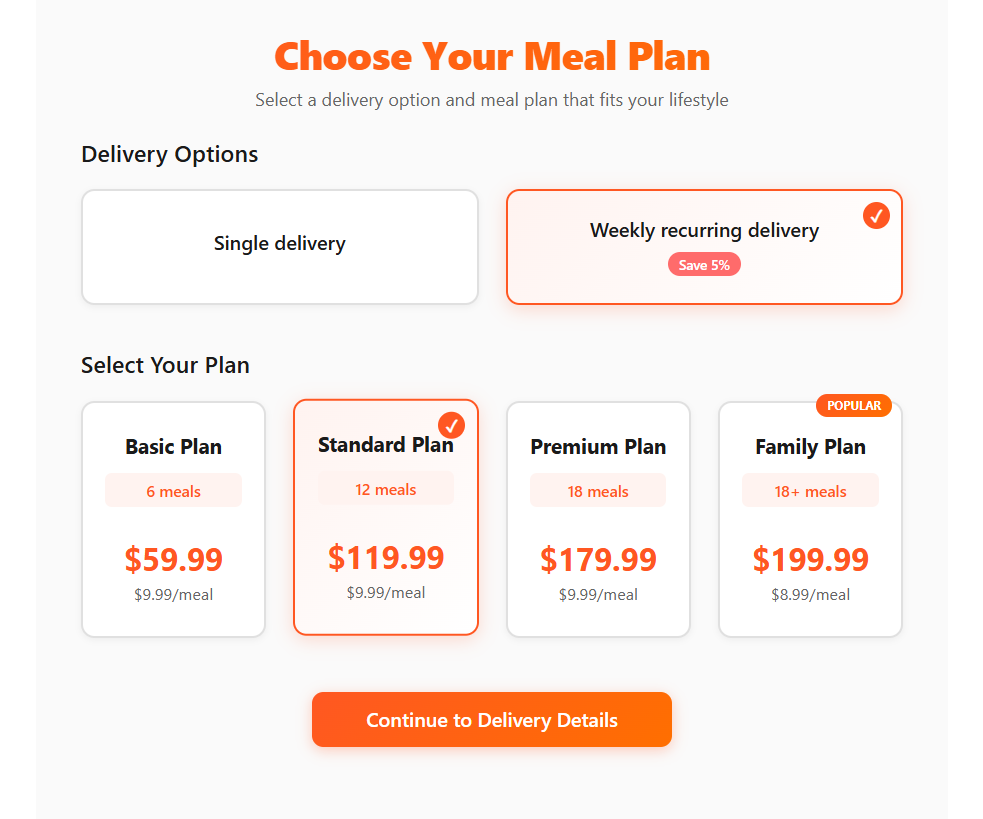
-
Choose Subscription
- Customer first selects the Meal Subscription option
-
Select Number of Meals Available options:
-
6 meals
-
12 meals
-
18 meals
-
Custom (minimum 6 meals)
Discounts are automatically applied based on the selected number of meals.
-
-
Check Availability
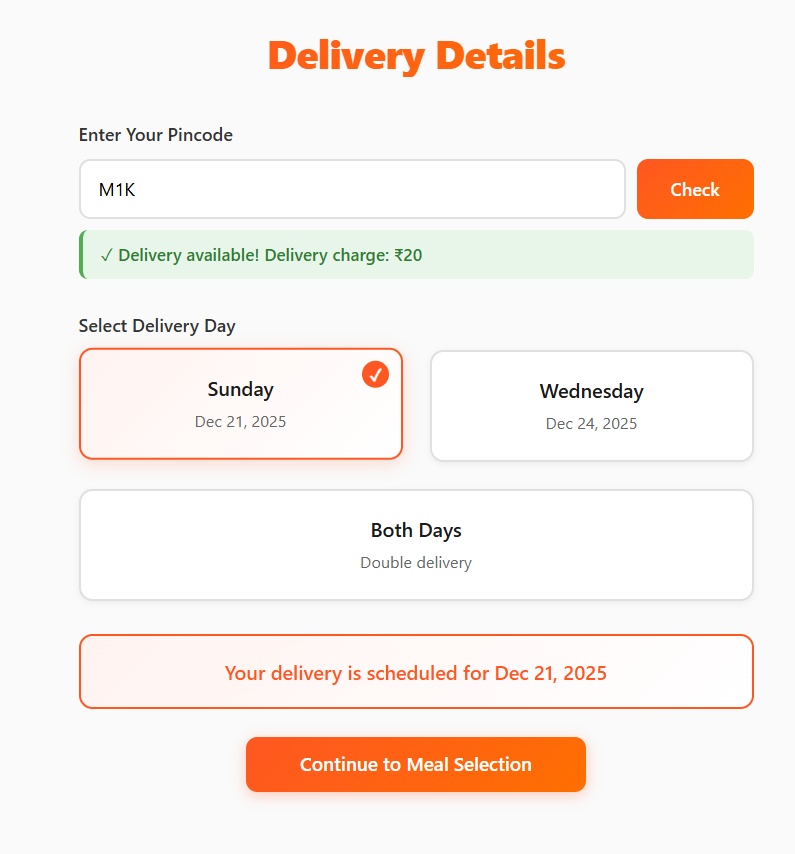
- Customer enters pincode
- System checks and confirms delivery availability for that area
-
Choose Delivery Days Customer can select:
- Sunday only
- Wednesday only
- Both Sunday & Wednesday (minimum 12 meals required)
-
Choose Meals
- Customer selects meals as per the chosen plan
-
Payment & Order Placement
- Customer completes payment
- Autopay is enabled for the subscription
- Subscription order is successfully placed
After Order Placement
- Payments will be auto-debited as per the subscription cycle
- A new order is automatically created at every cutoff time for each delivery day
Customer Benefits
- No repeated payments or manual ordering
- Guaranteed meal delivery on selected days
- Better pricing through meal-count-based discounts
Navigator
Subscription Order Creation
-
Each subscription is automatically split by delivery day
-
If a customer selects both Sunday & Wednesday, separate orders are created for:
- Sunday delivery
- Wednesday delivery
Filtering & Management
Business owners can:
- Filter orders by Sunday or Wednesday
- View day-wise orders even when the customer selected both days
- Prepare and deliver meals without manual sorting
Subscription Status Flow
- Active – Subscription is ongoing
- Paused – Temporarily stopped by business or customer
- Cancelled – Subscription stopped before completion