Import Product Custom Attributes
This document explains how to import and map custom attributes to products using a CSV file. The mapping is done using the Product ID, allowing bulk updates in a single upload.
CSV Format
| Column Name | Description |
|---|---|
| productId | Unique ID of the product |
| attribute_name1 | Name of the custom attribute 1 |
| attribute_name2 | Name of the custom attribute 2 |
Steps to Import
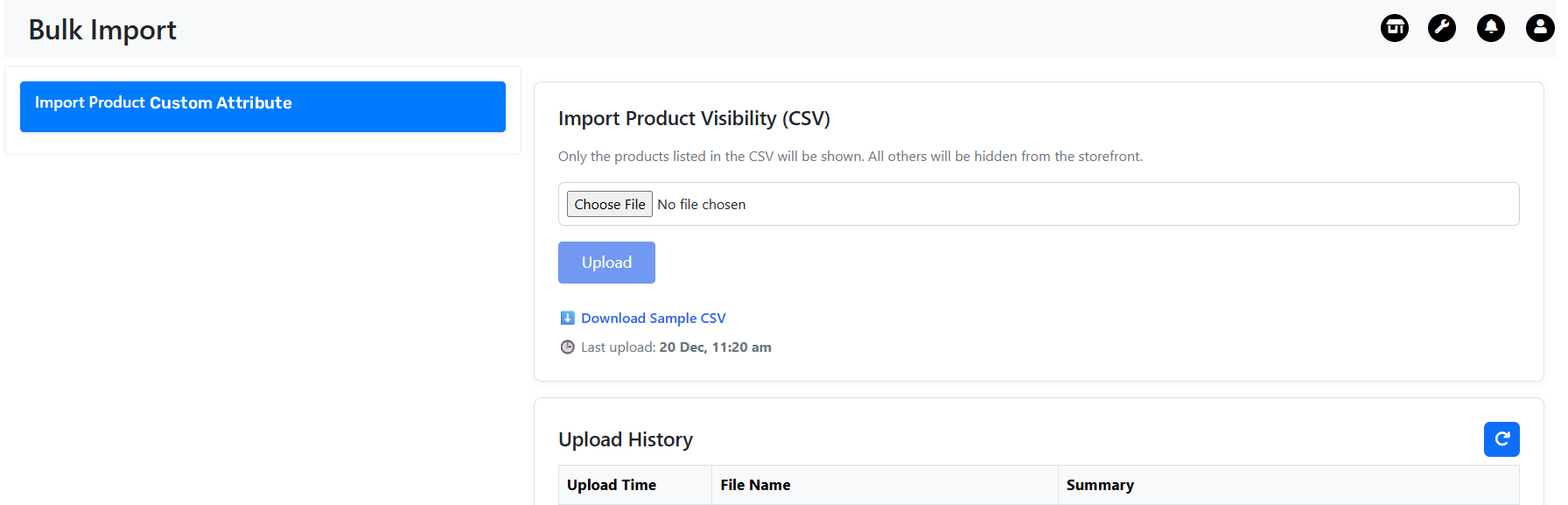
-
Go to Bulk Import Page
- Navigate to Nv → Bulk Import.
-
Open Import Product Custom Attribute Section
- In the Bulk Import page, select Import Product Custom Attribute.
-
Download Sample CSV
- Click Download Sample CSV to get the correct format.
- Do not modify the column headers.
-
Update the CSV File
- Add
product_id,attribute_name, andattribute_value. - Use multiple rows to add multiple attributes for the same product.
- Add
-
Upload CSV
- Click Upload CSV in the Import Product Custom Attribute section.
- Select the updated CSV file and upload.
-
Review Import Status
- System validates the data and shows success and failure summary.
Sample CSV

Import Rules
- Product ID must already exist
- Attribute name must be predefined in the system
- One product can have multiple attributes
- Existing attribute values will be overwritten